Page Rearrangement in Handwriting Docs & PDFs
✨ What new feature or change would you like to see added in RemNote?
A page management view for handwriting documents and PDFs that displays all pages as thumbnails and allows drag-and-drop rearrangement. This should include:
Thumbnail grid view of all pages in the current document
Drag-and-drop functionality to reorder pages
Multi-select capability for batch operations (move, delete, duplicate)
🤔 What problem does it solve for you? How would it improve your workflow or experience with RemNote?
Currently, there's no way to rearrange individual pages within handwriting documents or PDFs. This creates friction when:
Reorganizing handwritten lecture notes after class (pages weren't taken in the ideal order)
Combining or reordering PDF pages from multiple sources
Moving related content pages together for better flow
Fixing mistakes where content was added on the wrong page
The ability to visually see and rearrange pages would make RemNote much more flexible for real-world note-taking workflows, especially on iPad with Apple Pencil where handwritten notes naturally evolve and need restructuring.
🚀 Are there any examples of this suggestion implemented in other apps (if applicable)?
Yes, this is standard functionality in leading note-taking apps:
GoodNotes — Page thumbnail view with drag-and-drop reordering, multi-select, and page management tools
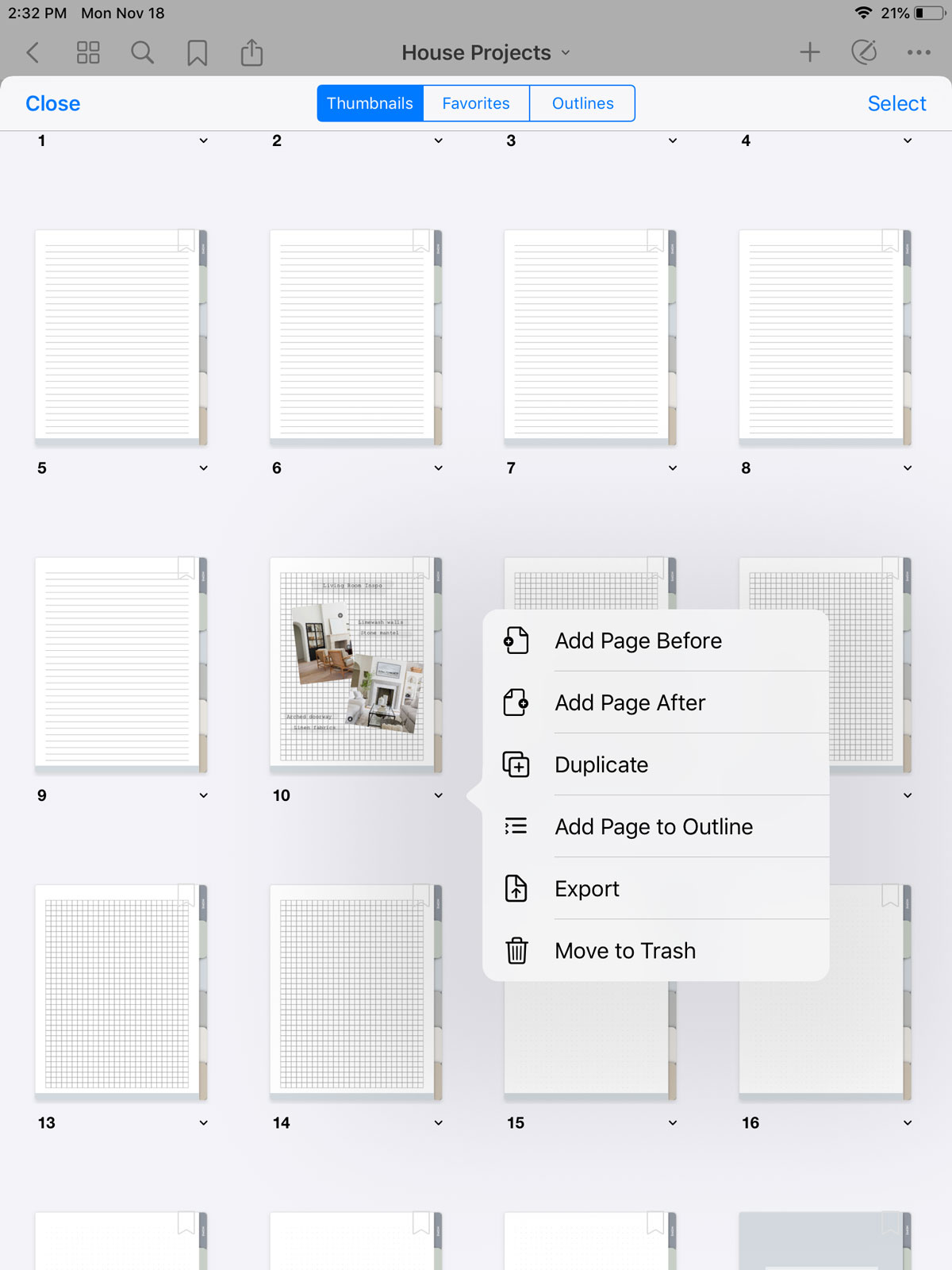
Notability — Page sorter with thumbnail preview and reordering
PDF Expert — Page management sidebar with thumbnail grid for rearranging PDF pages
Apple Notes — Allows page/scan reordering in scanned documents
These apps open a dedicated view showing page thumbnails that can be dragged to new positions, making document organization intuitive and visual.